USB-C Without Myths: Cables, Chargers and 240W PD 3.1 Explained
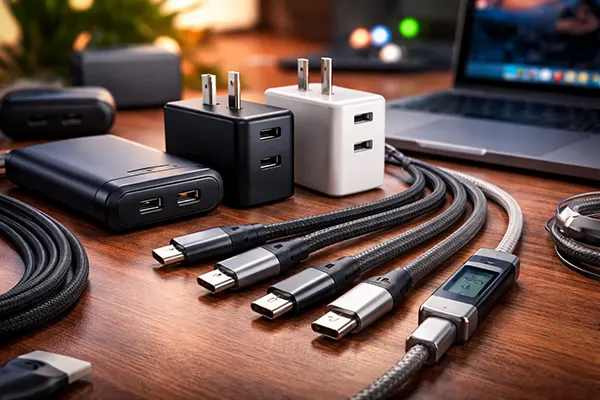
By 2026, USB-C has become the default connector for smartphones, tablets, laptops, power banks and even monitors. On paper, it looks simple: one reversible plug for everything. In reality, USB-C is a technical framework that can carry different power levels, data speeds and video standards — and that is where confusion begins. A cable that looks identical to another may safely handle 240W, or it may struggle at 60W and overheat.
This guide breaks down what 60W, 100W and 240W markings actually mean, how USB Power Delivery 3.1 works, why cheap cables can be risky, and how to spot a reliable accessory without specialist lab equipment. If you use modern USB-C devices daily, understanding these details is no longer optional — it is basic digital hygiene.
What 60W, 100W and 240W Really Mean in 2026
When you see “60W”, “100W” or “240W” printed on a cable, it refers to the maximum electrical power the cable is rated to carry under USB Power Delivery. Power (W) equals voltage (V) multiplied by current (A). Traditional USB-C cables without an electronic marker chip are limited to 3A. At 20V, that equals 60W. That is enough for phones, tablets and many ultrabooks, but not for high-performance laptops.
A 100W cable supports up to 5A at 20V under USB PD 3.0. To safely carry 5A, the cable must include an E-Marker chip that communicates its capabilities to the charger and device. Without this chip, the system should fall back to 3A. In practice, poorly made cables sometimes misreport their rating, which is where overheating and instability begin.
The 240W rating belongs to USB Power Delivery 3.1 with Extended Power Range (EPR). It allows up to 48V at 5A. In 2026, this standard is increasingly used by gaming laptops, mobile workstations and high-end docking stations. However, both the charger and the cable must explicitly support PD 3.1 EPR. A standard 100W cable cannot safely substitute for a 240W one, even if the connector fits.
Why “Any USB-C Cable” Is a Dangerous Assumption
USB-C describes the connector shape, not the performance level. Two cables with identical plugs may differ in internal wire gauge, shielding quality, chip presence and supported standards. Some are designed purely for charging at 60W with USB 2.0 data speeds (480 Mbps). Others support 40 Gbps data, DisplayPort Alt Mode and full 240W power delivery.
Using an under-rated cable with a high-power charger does not usually cause an immediate failure because modern devices negotiate power digitally. However, a poorly built cable can suffer voltage drop, excessive heat and long-term degradation. Over time, this stresses charging circuits and battery management systems.
The same applies to data and video. A cable that handles 240W charging may still support only USB 2.0 speeds. If you connect an external SSD or 4K display, you may see slow transfers, signal dropouts or flickering. Power capability and data capability are separate specifications, and both matter.
Risks of Cheap Cables: Heat, Voltage Drop and Data Instability
Low-cost cables often reduce manufacturing expenses by using thinner copper conductors, minimal shielding and low-grade connectors. Thin conductors increase electrical resistance. Higher resistance leads to voltage drop under load, meaning your device may charge slower or fail to reach full performance mode while plugged in.
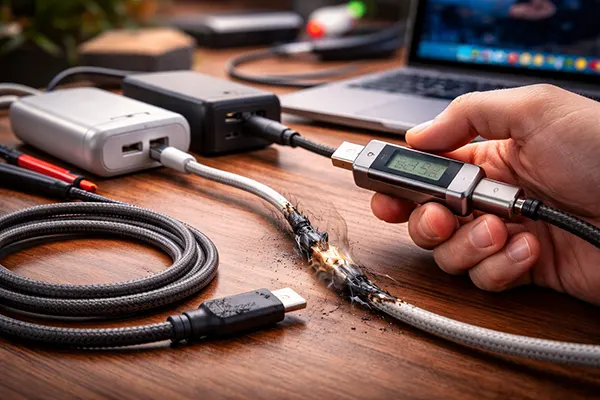
Heat is a more serious issue. When resistance rises, so does heat generation. A cable rated for 60W but pushed close to its limit for extended periods may become noticeably warm. In extreme cases, connectors discolour or deform. While modern devices include protection circuits, repeated thermal stress shortens the lifespan of both cable and port.
Data instability is another overlooked problem. Poor shielding allows electromagnetic interference, especially near routers, power strips or other high-current devices. The result can be random disconnects of external drives, unstable video output or corrupted file transfers. These issues are often blamed on the laptop or monitor when the cable is the real cause.
A Practical Home Test: How to Spot a Misleading Cable
You do not need laboratory tools to detect warning signs. Start with a realistic load. If you own a laptop that normally charges at 100W, connect it with the cable in question and observe charging behaviour. If the system reports “slow charging” or switches between charging states under heavy CPU load, the cable may be limited to 60W or suffering from voltage drop.
Touch is another simple indicator. During high-power charging, the cable may become slightly warm, but it should never feel hot near the connectors. Excessive warmth concentrated at one end suggests poor internal connections or inadequate conductor thickness.
For data testing, transfer a large file — for example, a 20GB video — to an external SSD that supports high-speed USB. If speeds fluctuate dramatically or drop to USB 2.0 levels without explanation, the cable may lack proper data lines or shielding. Consistent performance across repeated tests is a good sign of honest specification.
When to Use Separate Cables for Charging, Data and Display
In everyday use, one high-quality 100W cable with E-Marker support is sufficient for most phones, tablets and ultrabooks. It can handle charging and moderate data transfer without issue. For many households, this is the sensible default choice.
High-power laptops that support 140W or 240W charging under PD 3.1 EPR require a certified 240W cable. If you rely on your device for professional work or gaming, using the correct EPR-rated cable is not optional. It ensures stable voltage delivery and reduces thermal stress on connectors.
Display connections introduce another layer. Driving a 4K or 5K monitor over USB-C requires DisplayPort Alt Mode or Thunderbolt compatibility. Not all high-wattage cables support these standards. In scenarios involving external displays or docks, a dedicated high-bandwidth cable is often justified, even if it costs more.
How to Choose a Safe USB-C Accessory in 2026
Look for explicit mention of USB Power Delivery version (PD 3.0 or PD 3.1), maximum current (3A or 5A), and whether the cable includes an E-Marker chip. Reputable manufacturers publish these specifications clearly rather than relying on vague terms like “fast charge”.
Certification logos matter. USB-IF certification indicates compliance with official standards. While not every good cable carries the logo, completely unbranded products with no traceable manufacturer information present higher risk.
Finally, match the cable to your most demanding device, not your least demanding one. If your highest-power laptop needs 140W or 240W, buy for that scenario. A cable is a small investment compared to the cost of a laptop motherboard or professional downtime.