eSIM and iSIM: Privacy While Travelling and Protection from SIM Swaps (Step by Step)
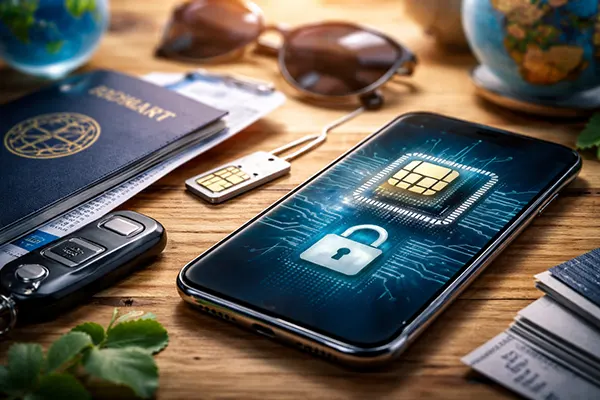
If you travel with a smartphone as your boarding pass, bank card and work ID, your mobile number becomes more than “just a SIM”. In 2026, eSIM is routine on many phones, while iSIM is moving from industry demos into real products and roadmaps. Both can improve convenience, but privacy and account security still depend on how you set them up. This guide explains the difference between physical SIM, eSIM and iSIM, how SIM-swap fraud typically happens, and a practical travel routine that helps you keep banking and messaging access even if your phone or number is targeted.
SIM, eSIM and iSIM: what changes for privacy and security
A physical SIM is a removable plastic card with a secure chip that stores your subscriber identity. Its biggest strength is simplicity: you can move it between phones. Its biggest weakness is also simplicity: it can be stolen, swapped, or “reissued” by a carrier if an attacker convinces support staff that they are you.
eSIM (embedded SIM) is a soldered chip inside the device. Instead of inserting a card, you download “profiles” issued by mobile operators. You can store multiple profiles and switch between them in settings. For travellers, that means you can keep your home number active while adding a local or travel data plan without visiting a shop.
iSIM (integrated SIM) takes the same concept further by integrating the SIM functionality into the phone’s main chipset (rather than a separate eSIM component). In practice, it aims to reduce hardware space and cost, and it may simplify manufacturing for connected devices. From a user perspective, the privacy story is not “iSIM is magically safer” – it is that a non-removable identity module reduces some physical attack paths, while remote provisioning and account recovery still remain the real battleground.
Which one actually helps against SIM swaps?
SIM-swap attacks rarely start with your device. They start with your mobile operator account. An attacker gathers personal details (from data leaks, social engineering, or public info), then contacts the carrier and persuades them to move your number to a SIM or eSIM profile they control. Once that happens, they receive your calls and texts, including SMS login codes.
Because the weak point is usually account recovery via the carrier, the type of SIM matters less than your operator protections. eSIM can reduce the “steal the card” scenario, and iSIM removes the SIM component entirely, but neither automatically prevents a fraudulent number transfer. The main defence is to make number transfers hard to authorise, and to make SMS codes irrelevant to your most important accounts.
Think of SIM/eSIM/iSIM as the “container” for your number. SIM-swap protection is the “locks and alarms”: carrier PINs, port-out blocks, strong account authentication, and moving critical logins away from SMS. Do those well, and your travel setup becomes both simpler and safer.
How SIM-swap fraud works and how to reduce the risk (step by step)
Most SIM-swap incidents follow a predictable chain: the attacker targets your number, triggers a transfer at the carrier, then uses intercepted SMS to reset passwords. Often they go after email first, because email access lets them reset everything else. Banking, crypto exchanges, and any service that still defaults to SMS codes are common targets.
Your goal is to break that chain in at least two places. First, harden the carrier account so a transfer cannot be approved by “knowing your details”. Second, harden your accounts so losing SMS does not mean losing control. You do not need to be a security professional to do this, but you do need a checklist and the discipline to follow it before you travel.
Below is a practical sequence you can complete in one evening. It is written for normal travellers, not for corporate threat models, and it focuses on actions that still make sense in 2026.
Anti–SIM swap checklist you can do today
Step 1: Lock down the carrier account. Set a SIM PIN (so a stolen physical SIM is useless), then ask your operator for an account passcode/port-out PIN (names vary) and request extra verification on number transfers. If your carrier offers “no porting without in-store ID” or a dedicated fraud lock, enable it. Also secure your carrier login with a strong password and an authenticator app where available.
Step 2: Remove SMS from the accounts that matter. For your primary email, banking apps, password manager, and any work SSO, switch 2FA from SMS to an authenticator app, hardware security key, or passkeys. Save recovery codes offline (paper in your luggage or encrypted storage that does not depend on your phone number). Where services allow it, set a recovery email and a recovery phone number that is not your main SIM number.
Step 3: Prepare “if it happens” controls. Add a device screen lock that is actually strong (a long PIN beats a short one), enable remote wipe, and keep a second sign-in method for your messaging apps (for example, a second device or a secure backup key). Finally, set alerts: bank transaction notifications, email security alerts, and carrier account change notifications. Early warning is often the difference between a scare and a full account takeover.
Travel hygiene with eSIM/iSIM: temporary profiles, split identities, and a lost-phone plan
Travelling changes your risk profile. Airports, hotel Wi-Fi, unfamiliar SIM shops, and constant navigation create the perfect environment for mistakes. eSIM makes travel easier because you can download data plans without handing over your phone or passport to a random kiosk, but it also tempts people to juggle profiles without a plan for what happens to logins.
A good travel setup separates “connectivity” from “identity”. You want cheap data locally, but you do not want your main number exposed everywhere, and you do not want your bank login tied to a SIM profile you might delete while switching networks. The best approach is to decide what the travel profile is for (data only, ideally), and what your home profile is for (identity and account recovery).
Finally, you need a loss routine that works even when you are stressed. If your phone disappears, the first minutes matter: you want a sequence that protects accounts before the thief or a SIM-swapper can pivot into email and banking.
Practical travel setup: two profiles, one rule
Set up your home SIM/eSIM as your “identity line” and keep it stable. Then add a travel eSIM as “data line” whenever possible. In many cases you can keep your home line active for incoming calls/SMS (or turn off roaming data to avoid charges) while using the travel eSIM for mobile data. The key is consistency: your important accounts should never depend on the travel profile.
Use split accounts where it makes sense. For example, keep a dedicated travel email for bookings and loyalty programmes, and do not use it as a recovery email for banking. If you run a business, consider separating personal and work numbers, or at least separating authenticator apps and recovery methods. It is boring, but it works: attackers love “one inbox controls everything”.
If your phone is lost: (1) call the carrier immediately to suspend the line and block number transfers, (2) remotely lock/wipe the device, (3) change passwords starting with email and the password manager, (4) revoke sessions in your email/security settings, (5) notify your bank and freeze cards if needed. When you get a replacement phone, restore from a clean backup and re-enrol authentication methods carefully rather than rushing to “make it work”.
How not to lose banking and messengers when switching profiles
The most common eSIM travel mistake is deleting or switching profiles without checking how logins are configured. Many banks and messaging apps still treat your phone number as an identity anchor. If you change the active line, travel without signal, or lose SMS access, you can lock yourself out at the exact moment you need access most.
The fix is to stop thinking of SMS as “security”. In 2026, SMS is best treated as a convenience channel, not a control channel. Your control channels should be device-bound authentication (passkeys), authenticator apps, security keys, and recovery codes stored away from the phone you are carrying.
Before you leave, do a rehearsal: switch your device to aeroplane mode and confirm you can still log in to email, bank apps, and your main messenger using non-SMS methods. If you cannot, you are not ready to travel with that setup.
Keep access stable: a small pre-trip test that prevents big problems
For banking: ensure your bank app is enrolled on your device and that you have at least one non-SMS verification method enabled. Where the bank supports it, prefer app-based approvals, passkeys, or a dedicated authenticator method. If the bank only offers SMS, treat your mobile number as a high-risk asset and double down on carrier protections and transaction alerts.
For messengers: check how account recovery works for the one you rely on most. If it is number-based, enable any available security features such as a separate app PIN, recovery email, or device-based keys. Make sure your cloud backups (if you use them) are protected by strong account security, because “restore chat history” can become an attack path if the cloud account is compromised.
For profile switching: document your setup in a secure place. Write down which line is your identity line, which is your data line, and where your recovery codes are stored. If something goes wrong on a trip, you should not be relying on memory. A two-minute note can save hours of support calls and reduce the chance of making a panicked mistake.