Android 15 Private Space: How to Hide Sensitive Apps, Banking and Messaging Securely
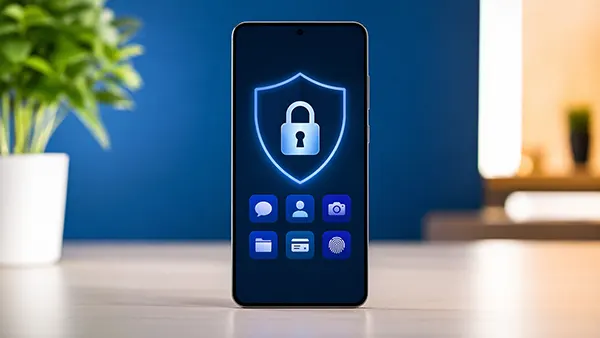
Android 15 introduces a system-level feature called Private Space, designed for users who want stronger control over personal data on their devices. Unlike basic app locks or third-party tools, this function creates a separate, protected area where selected applications remain hidden and accessible only after additional authentication. For anyone handling banking, messaging, or work-related tools in public environments, this update changes how privacy is managed on smartphones in 2026. :
What Private Space in Android 15 Actually Does
Private Space is built directly into the operating system, which means it operates at a deeper level than typical privacy apps. It allows users to isolate sensitive applications from the main app drawer, notifications, and recent activity lists. This separation ensures that even if someone accesses your phone, they cannot easily see or open protected apps.
Unlike earlier solutions, Private Space does not simply lock apps with a PIN. It creates a distinct environment that can be hidden entirely from the interface. Applications placed inside this space behave as if they are not installed at all when the space is locked, reducing the risk of accidental exposure.
From a security perspective, this feature aligns with current mobile trends, where data protection is moving closer to the system core. In 2026, with increasing reliance on mobile banking and encrypted communication, having such built-in protection reduces dependence on third-party software that may introduce vulnerabilities.
How Private Space Differs from App Lockers
Traditional app lockers restrict access but still display icons, notifications, or previews. Private Space removes this visibility entirely. When locked, apps inside it leave no trace in the user interface, which is a key advantage for maintaining discretion.
Another difference lies in authentication flexibility. Android 15 allows the use of biometrics, a separate PIN, or even different unlocking patterns specifically for Private Space. This layered approach makes it harder for unauthorised users to gain access, even if they know the main device password.
In addition, Private Space supports independent settings for apps inside it. For example, notifications can be suppressed entirely, ensuring that incoming messages from banking or messaging apps do not appear on the lock screen or notification panel.
Setting Up Private Space for Maximum Security
Activating Private Space in Android 15 is straightforward, but proper configuration is essential to get the full benefit. The feature is typically found in the Privacy or Security section of system settings, depending on the manufacturer’s interface.
During setup, users are prompted to create a separate authentication method. It is advisable to choose a PIN or password different from the main device lock. This ensures that even if someone gains access to the phone, the protected area remains secure.
Once activated, apps can be moved into Private Space manually. It is best to include banking apps, email clients, messaging platforms, and any tools that store sensitive data. Keeping this list minimal helps maintain both security and usability.
Best Practices for Managing Hidden Apps
Regularly review which apps are stored in Private Space. Overloading it with non-essential applications can reduce its effectiveness and make navigation less efficient. Focus only on tools that genuinely require additional protection.
Disable notifications for these apps outside the Private Space environment. This prevents message previews or alerts from revealing activity. In 2026, many apps still display sensitive information in notifications by default, so manual control is important.
It is also worth enabling automatic locking after a short period of inactivity. This ensures that Private Space closes itself if the device is left unattended, adding another layer of protection without requiring constant user attention.
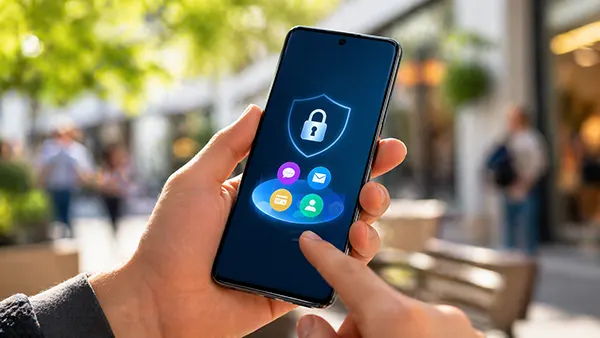
Real-World Use Cases: Travel, Work and Daily Privacy
Private Space becomes especially useful when travelling. Passing through airports, using public Wi-Fi, or handing your phone to others increases the risk of exposure. With sensitive apps hidden, the device can be used more freely without compromising personal data.
For professionals working remotely or in shared environments, this feature offers a practical way to separate personal and work-related tools. Instead of carrying multiple devices, users can manage everything on one phone while keeping critical apps protected.
Even in everyday situations, such as lending your phone to a friend or family member, Private Space provides peace of mind. Sensitive conversations, financial data, and authentication apps remain inaccessible unless explicitly unlocked.
Limitations and What to Be Aware Of
Despite its advantages, Private Space is not a complete replacement for broader security practices. It does not protect against malware, phishing attacks, or compromised networks. Users still need to follow general cybersecurity guidelines.
Another limitation is device compatibility. While Android 15 includes the feature at system level, availability may vary depending on the manufacturer and region. Some brands may delay implementation or modify how the feature works.
Finally, forgetting the authentication method for Private Space can lead to access issues. Unlike simple app locks, recovery options may be limited. It is important to store credentials securely and consider linking recovery methods where available.